
General Assist How-To Guide
Factory Resetting myanywAiR NEXT
How to erase the current setup and return the controller to factory settings
A factory reset may be required when the myanywAiR NEXT controller is being transferred to a new owner, given to a friend or family member, or needs to be configured again from the beginning.
Important: A factory reset permanently erases the controller's existing settings, users, schedules and configuration. These settings cannot be recovered after the reset is completed.
Factory reset procedure
| 1 | Open the myanywAiR NEXT app and select the air-conditioning system or room that is to be reset. |
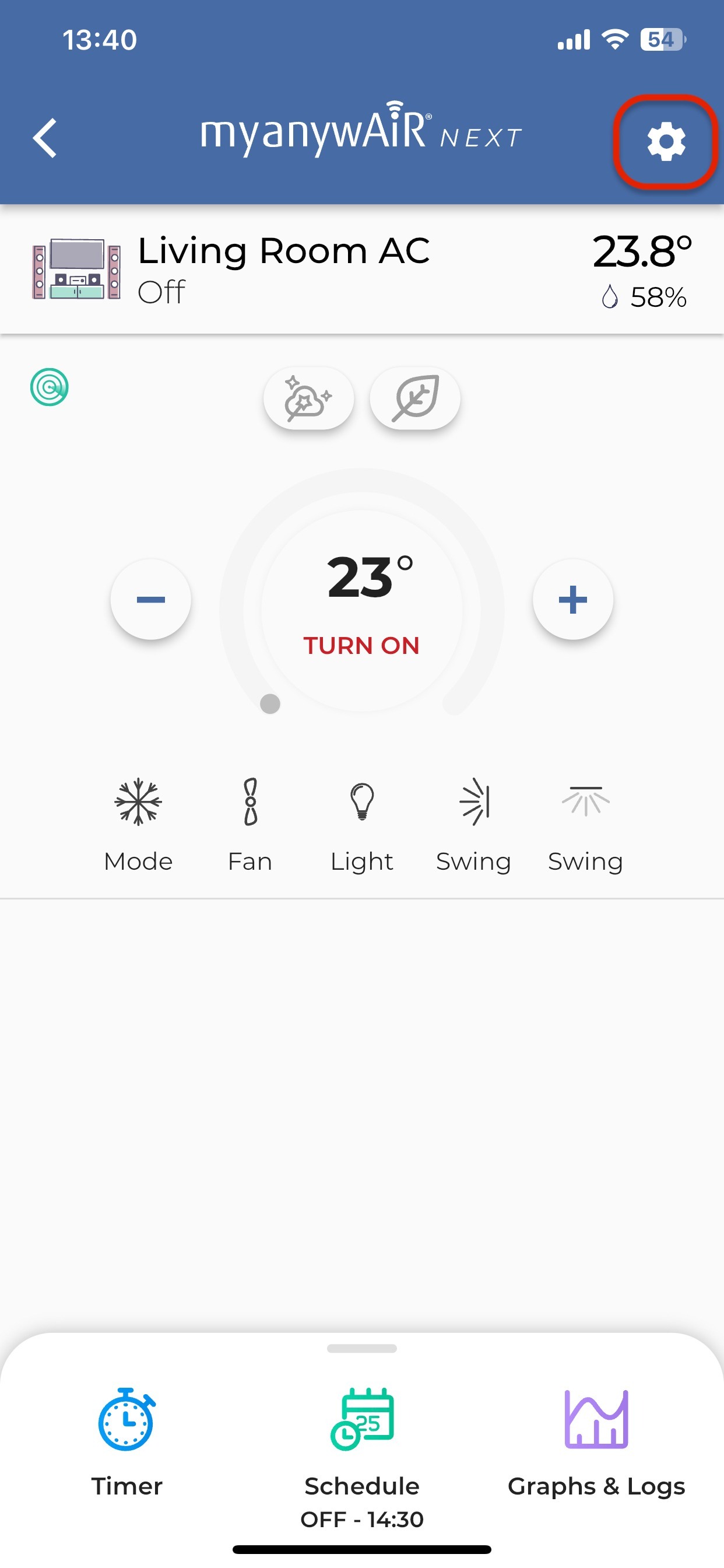
| 2 | On the device screen, press the cog-wheel Settings icon in the top-right corner. |
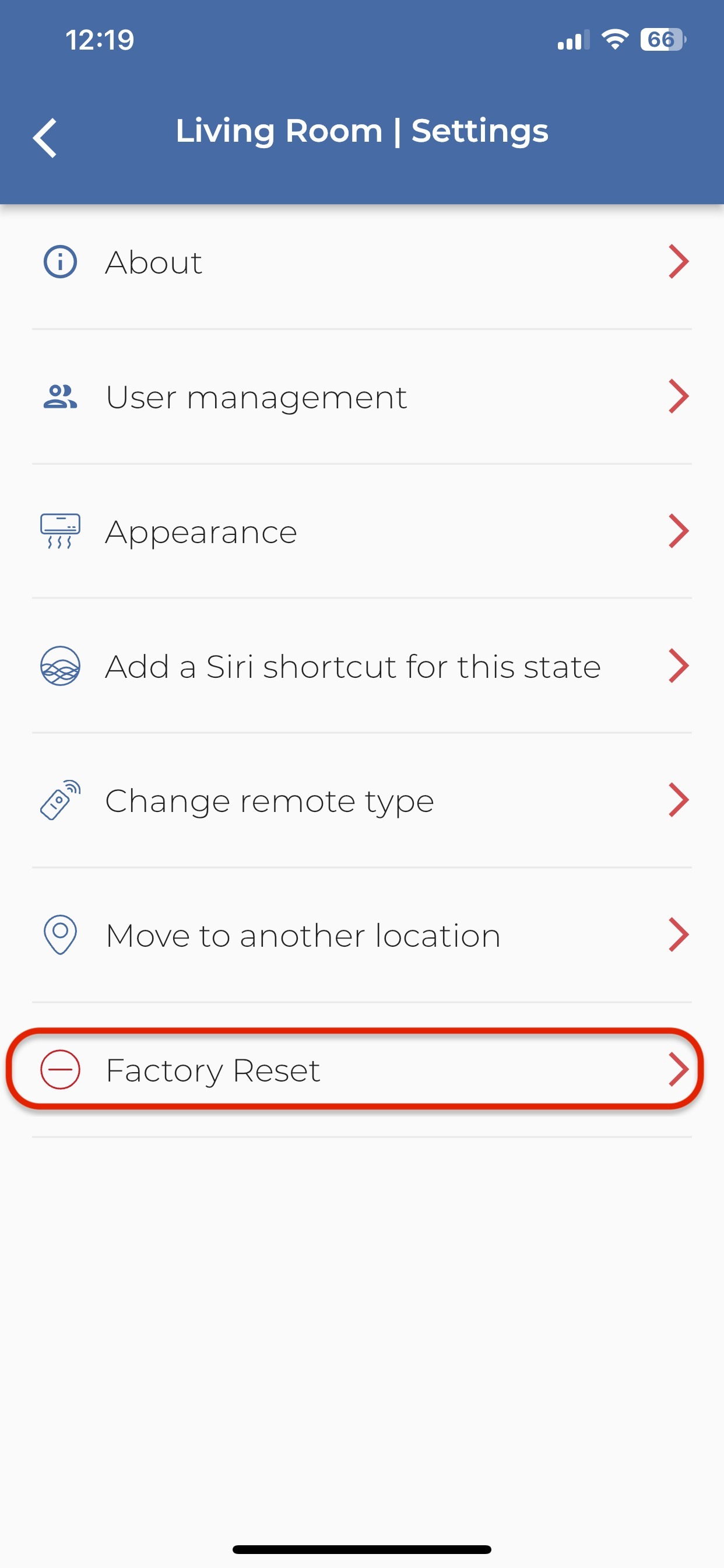
| 3 | Scroll to the bottom of the Settings menu and select Factory Reset. |
| 4 | Follow the on-screen confirmation prompts to complete the reset. |
What happens next?
After the factory reset, the myanywAiR NEXT controller must be set up again as a new device. This may include reconnecting it to Wi-Fi, adding users, selecting the remote type and recreating schedules or preferences.
After the factory reset, the myanywAiR NEXT controller must be set up again as a new device. This may include reconnecting it to Wi-Fi, adding users, selecting the remote type and recreating schedules or preferences.
Screen reference
Device screen: Press the cog-wheel icon in the top-right corner.
Settings screen: Select Factory Reset at the bottom of the menu.
For more information visit
Need to reconnect the controller? Refer to the related guide: How to reset your myanywAiR NEXT Wi-Fi.
Menu names and screen appearance may vary slightly depending on the app version and mobile device.