
General Assist Technical Reference
J Series Remote Transmission Code - IR Setting
Changing the wireless remote controller custom code using JM1 / JM2 jumper settings
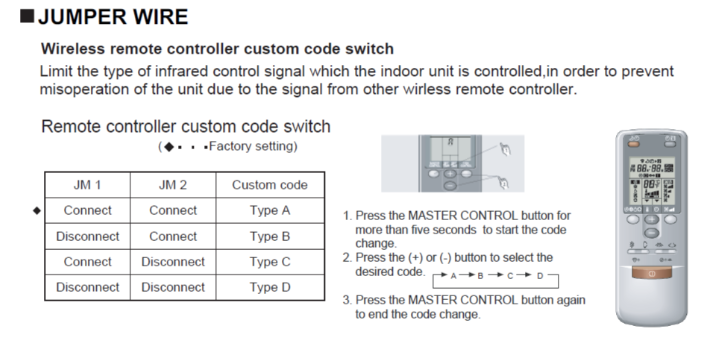
The wireless remote controller custom code is used to limit which infrared control signal the indoor unit will respond to. This helps prevent unintended operation where more than one wireless remote-controlled unit is installed within signal range.
Indoor Unit Jumper Settings
The indoor unit custom code is selected by the connection state of jumper wires JM1 and JM2.
| JM1 | JM2 | Custom Code |
|---|---|---|
| Connect | Connect | Type A — Factory setting |
| Disconnect | Connect | Type B |
| Connect | Disconnect | Type C |
| Disconnect | Disconnect | Type D |
Important: If the indoor unit jumper setting is changed, the wireless remote controller must also be set to the corresponding custom code. The indoor unit and remote controller code must match for normal IR operation.
Set the Wireless Remote Controller Code
| 1 | Press and hold the MASTER CONTROL button for more than 5 seconds to enter the custom code change mode. |
| 2 | Press the + or - button to select the required code: A → B → C → D. |
| 3 | Press the MASTER CONTROL button again to finish the code change. |
Quick Reference
Example: If JM1 is disconnected and JM2 remains connected, the indoor unit is set to Type B. Set the wireless remote controller to B using the procedure above.
Purpose of this setting: Use different custom codes where nearby J Series indoor units could otherwise respond to the same infrared remote controller signal.
Reference: J Series wireless remote controller custom code / jumper wire setting information.